Hiện tại chưa có ý kiến đánh giá nào về sản phẩm. Hãy là người đầu tiên chia sẻ cảm nhận của bạn.


 BLACKMAGIC DESIGN
 Đèn quay phim Aputure
 Micro Deity
 Phần mềm Magicsoft
 Bàn chỉnh màu Tangent
 Thiết bị dựng phim
 Phần mềm Video
 Thiết bị lưu trữ
 Video Pro
 (0 đánh giá | Gửi đánh giá)

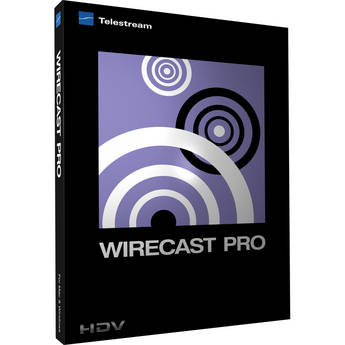
Wirecast Pro 4 for Windows from Telestream is a software solution for switching, producing, and streaming live events at a professional level of production. The software allows you to capture live video from multiple cameras and switch the output to a real-time encoder for Internet streaming, while adding 3D graphics, chroma-keyed video, and even virtual 3D sets. You can also webcast the live video & audio of your computer desktop. For corporate communication teams, government entities, educational institutions, and houses of worship, Wirecast Pro 4 represents a powerful alternative to traditional broadcast.
The software is the bridge between the camera inputs into your laptop or desktop PC and a streaming server. You can use FireWire to input the live output of many DV/HDV cameras or use a USB webcam – or a capture card from Blackmagic Design (Intensity Pro, Intensity Shuttle, and Decklink SDI, Studio, Duo & HD Extreme 3D) or Viewcast (Osprey 240e, 450e, and 700e). This way you can input live or recorded video from HDMI, SDI, and analog camera outputs.
Version 4 of the software supports Teradek's Cube devices, which encode and decode video output from many HDMI- and SDI-enabled cameras for wireless transmission directly to your computer. You also get support for selected wireless IP cameras (Sony SNC-RZ50N, Cisco WVC80N, and Axis P1344, M1104 & 211W) and LiveU video-over-cellular transmission.
Wirecast Pro 4 lets you import graphical elements, switch between multiple cameras, employ picture-in-picture and scoreboards, and even add 3D virtual sets. The real-time encoder outputs to QuickTime, On2 (VP6), and Main Concept H.264 formats so you're ready to feed your streaming server with standard-definition or even HD video. (A basic streaming server is integrated into the software, and it makes it easy to set up your broadcast for the streaming service of your choice.) You can also output video as Windows Media (WMV) files and point the output toward a Windows Media streaming server. Start with just a camera, a computer, an Internet connection and Wirecast Pro 4. Your professionally produced webcasts will then be accessible to anyone online.